How to Choose Gage Management Software for Calibration, Compliance, and MSA

Choosing the right gage management software is an important decision for any company that depends on accurate measuring instruments.
Calipers, micrometers, gauges, scales, torque tools, pressure gauges, fixtures, and other measurement devices all need to be controlled. They need calibration schedules, maintenance records, status tracking, traceability, reports, and in many cases, MSA studies such as Gage R&R, linearity, bias, and stability.
When this work is managed with spreadsheets, paper forms, labels, or disconnected folders, it can quickly become difficult to control. Calibration dates may be missed. Device records may be duplicated. Reports may take too long to prepare. And when an audit arrives, the quality team may spend hours searching for evidence.
A good gage management system helps prevent those problems by keeping measuring instruments, calibrations, maintenance, alerts, reports, and MSA studies organized in one place.
But not all systems are the same.
This guide explains what to look for when choosing gage management software, which features matter most, and how to evaluate whether a solution is the right fit for your quality process.
Still managing gages with spreadsheets?
MSA Gage Pro helps quality teams manage devices, calibrations, maintenance, reports, traceability, and MSA studies from one cloud-based platform.
Start Free Trial -> https://app.msagagepro.com/en/signup
Request a Demo -> https://msagagepro.com/get-a-demo/
1. Start With Your Current Gage Management Problems
Before comparing software features, start by identifying the problems your team needs to solve.
Many companies begin looking for gage management software because their current process has become difficult to manage. The most common issues include:
- Calibration dates are tracked manually.
- Some devices are overdue or hard to locate.
- Gage records are stored in multiple spreadsheets.
- Calibration certificates are saved in different folders.
- Reports take too long to prepare.
- The team depends on one person who knows the system.
- MSA studies are managed separately from gage records.
- Audit preparation is stressful because evidence is hard to find.
If these problems sound familiar, the right software should do more than store a list of gages. It should help your team control the complete measurement instrument process.
That includes device records, calibration events, maintenance tasks, due-date alerts, movement history, documentation, reporting, and MSA studies.
2. Look for Complete Device and Gage Control
The foundation of any gage management system is a complete, organized record for each measuring instrument.
At minimum, the software should allow you to track important information such as:
- Device name or identification number
- Serial number
- Location
- Status
- Owner or responsible person
- Calibration frequency
- Last calibration date
- Next calibration due date
- Maintenance history
- Supplier or calibration laboratory
- Certificates, documents, or external reports
- Related MSA studies
This information should be easy to search, update, and review. If your team cannot quickly answer where a device is, whether it is calibrated, and when it is due, the system will not solve the core problem.
A strong gage management platform should make device status visible and easy to understand. This helps prevent people from using expired, damaged, unavailable, or uncontrolled equipment.
3. Prioritize Calibration and Maintenance Scheduling
Calibration control is one of the most important reasons companies invest in gage management software.
The system should make it easy to schedule calibrations, monitor due dates, record results, upload supporting documents, and review calibration history. It should also help with maintenance activities, because many measuring instruments need service, repair, or inspection beyond routine calibration.
Look for software that helps your team answer questions such as:
- Which devices are due soon?
- Which devices are already expired?
- Which devices are under maintenance?
- Which devices were calibrated by an external laboratory?
- Can we attach or upload calibration certificates?
- Can we review the full calibration history of a device?
This is especially important if your company manages hundreds or thousands of measuring instruments across different departments, plants, labs, or suppliers.
4. Make Sure the Software Includes Alerts and Notifications
One of the biggest risks of manual gage tracking is missing a calibration or maintenance deadline.
If your team relies on someone checking a spreadsheet, calendar, or label, it is easy for a due date to be missed. That can create risk for production, inspection, customer requirements, and audits.
Good gage management software should include configurable alerts for upcoming and expired activities.
Useful alerts may include:
- Calibration due dates
- Expired calibrations
- Maintenance due dates
- Expired maintenance tasks
- MSA study due dates
- Work order deadlines
- Devices that need attention
MSA Gage Pro supports alerts before calibrations, MSA studies, maintenance, and work orders expire, helping teams act before issues become urgent.
5. Evaluate MSA and Gage R&R Capabilities
Calibration tells you whether a device is within specification. Measurement System Analysis helps you understand whether the measurement process itself is reliable.
For many quality teams, MSA is just as important as calibration control.
When choosing gage management software, look for support for studies such as:
- Gage R&R
- Repeatability and reproducibility
- Linearity
- Bias
- Stability
- Attribute studies, when applicable
Some companies manage MSA studies in separate spreadsheets or statistical tools. That can work for small teams, but it often creates disconnected information. The gage record is in one place, calibration information is somewhere else, and the MSA study is stored in another file.
A stronger approach is to connect gage records, calibration status, and MSA studies in the same system.
MSA Gage Pro includes prepared studies for repeatability, reproducibility, linearity, bias, and stability, allowing teams to manage MSA information alongside device and calibration records.
6. Check Reporting and Audit Readiness
Reports are where gage management software becomes especially valuable during audits, customer reviews, and internal quality meetings.
The software should make it easier to generate and review reports related to:
- Calibration status
- Expired devices
- Upcoming calibrations
- Calibration history
- Maintenance history
- Device traceability
- MSA studies
- Supplier or laboratory activity
- Equipment status
If the software only stores data but makes reporting difficult, your team may still spend too much time preparing for audits.
For companies working with standards and requirements such as ISO 9001, IATF 16949, AS9100, FDA, Six Sigma, Lean Manufacturing, or internal customer requirements, reporting and traceability are critical.
The goal is not only to perform calibrations. The goal is to prove control when evidence is needed.
7. Confirm Traceability Across the Full Device History
Traceability is one of the most important features of a gage management system.
Your team should be able to see the full history of a measuring instrument, including calibration records, maintenance events, repairs, usage notes, status changes, related studies, and uploaded reports.
Traceability helps quality teams investigate issues faster. If a device is found to be damaged, unavailable, expired, or out of tolerance, the team needs to understand what happened and what records are connected to that device.
Look for software that keeps a clear and complete history instead of overwriting important information.
MSA Gage Pro provides history for measuring tools, including calibration services, MSA studies, repairs, and usage information, helping teams maintain better control over measurement processes.
8. Choose a System That Is Easy for the Team to Use
The best gage management software is not only powerful. It also needs to be usable by the people who work with it every day.
Quality managers, calibration technicians, production supervisors, lab personnel, and maintenance teams may all need to access the system. If the software is too complex, adoption will be slow and users may return to spreadsheets.
Evaluate whether the system is:
- Easy to navigate
- Simple to search
- Clear about device status
- Fast to update
- Accessible from the devices your team uses
- Practical for both office and production-floor users
Ease of use matters because a gage management system only works if the team keeps it updated.
9. Consider Cloud Access and Mobile Availability
Many teams need access to gage information from more than one location.
A cloud-based system can make this easier by allowing users to access records from a computer, tablet, or phone. This is useful when gages are used in labs, production areas, warehouses, supplier locations, or multiple plants.
Cloud access also helps reduce dependence on a single computer or local file.
MSA Gage Pro is cloud-based and can be accessed from different computers and mobile devices. Users can also log in using an email address, Microsoft account, or Google Workspace authentication.
10. Review Support, Training, and Updates
Software is not only about features. The provider also matters.
Before choosing a gage management system, review the support and training available. Your team may need help during setup, onboarding, data migration, configuration, or daily use.
Ask these questions:
- Is training available?
- Is technical support responsive?
- Are software updates included?
- Does the provider understand calibration and MSA processes?
- Can the system grow with your organization?
A good provider should help your team get value from the system, not just sell access to software.
MSA Gage Pro provides training and onboarding materials, security features, role-based access control, updates, and adaptable pricing designed to support growing organizations.
11. Compare Gage Management Software With a Practical Checklist
Use this checklist when evaluating your options.
Evaluation Area |
What to Look For |
| Device management | Centralized gage records, status, location, documents, and history |
| Calibration control | Due dates, completed services, certificates, laboratories, and history |
| Maintenance tracking | Maintenance schedules, work orders, repairs, and status updates |
| Alerts | Configurable alerts for calibrations, MSA studies, maintenance, and work orders |
| MSA studies | Gage R&R, repeatability, reproducibility, linearity, bias, and stability |
| Reports | Calibration, maintenance, MSA, expired devices, and audit-ready records |
| Traceability | Full history of each measuring instrument |
| Cloud access | Access from PC, tablet, or phone |
| Ease of use | Simple navigation for quality, lab, and operational users |
| Support | Training, onboarding, updates, and technical help |
| Compliance support | Helps organize records for ISO 9001, IATF 16949, AS9100, FDA, and similar requirements |
Manual Tracking vs. Gage Management Software
Manual Tracking or Excel |
Gage Management Software |
| Records can become outdated or duplicated | Centralized device records |
| Due dates depend on manual follow-up | Automated visibility and alerts |
| Certificates may be saved in separate folders | Documents and reports connected to device records |
| MSA studies may be disconnected from calibration data | MSA studies can be managed with gage records |
| Audit preparation takes more time | Reports and history are easier to access |
| Knowledge depends on one person | The process is easier for the whole team to follow |
| Local files can create access issues | Cloud access from multiple devices |
Why MSA Gage Pro Is a Strong Option
MSA Gage Pro was built for companies that need better control over measuring instruments, calibration services, maintenance, alerts, reports, traceability, and MSA studies.
With MSA Gage Pro, your team can:
- Centralize gage and device records
- Track calibration and maintenance history
- Receive alerts for expiring devices and tasks
- Manage MSA studies such as repeatability, reproducibility, linearity, bias, and stability
- Upload external calibration reports from laboratories
- Access information from a computer, tablet, or phone
- Support audit preparation and quality-system requirements
- Reduce dependence on spreadsheets, paper, and manual tracking
It is especially useful for quality teams that want to simplify daily gage control while improving visibility, traceability, and audit readiness.
Ready to compare MSA Gage Pro with your current process?
Frequently Asked Questions About Choosing Gage Management Software
What is the most important feature in gage management software?
The most important feature is complete control of measuring instrument records, including calibration history, due dates, maintenance, status, documents, and traceability. Without reliable device records, alerts and reports will not be as useful.
Is gage management software better than Excel?
For very small teams, Excel may work temporarily. But as the number of devices, calibrations, reports, users, and audit requirements grows, spreadsheets become harder to control. Gage management software provides better visibility, traceability, alerts, and reporting.
Should gage management software include MSA studies?
Yes, especially for companies that need to evaluate measurement system reliability. MSA studies such as Gage R&R, repeatability, reproducibility, linearity, bias, and stability help teams understand whether the measurement process is capable and reliable.
Can gage management software help with audits?
Yes. Gage management software can help organize calibration records, maintenance history, device status, traceability, certificates, and MSA reports so the quality team can provide evidence more quickly during audits.
Who should use gage management software?
Gage management software is useful for manufacturing companies, quality departments, calibration teams, MSA labs, maintenance teams, and organizations working with standards such as ISO 9001, IATF 16949, AS9100, FDA, Six Sigma, and Lean Manufacturing.
Final Thoughts: Choose Software That Matches Your Quality Process
Choosing gage management software is not just about buying another digital tool. It is about improving control over the measuring instruments that support product quality, compliance, and customer confidence.
The right system should help your team manage devices, calibrations, maintenance, alerts, reports, traceability, and MSA studies in one organized platform.
If your current process depends on paper records, spreadsheets, labels, or disconnected folders, MSA Gage Pro can help you move toward a more reliable and audit-ready gage management process.
Start Free Trial -> https://app.msagagepro.com/en/signup
Request a Demo -> https://msagagepro.com/get-a-demo/

More From This Category
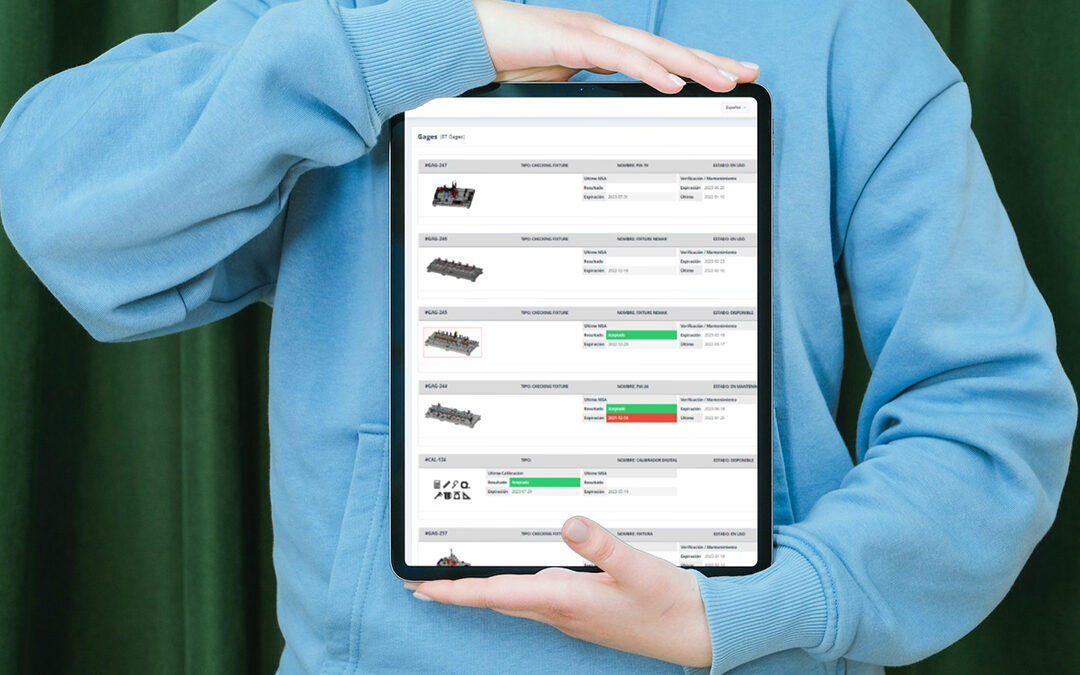
Gage Management Software Benefits for Calibration & MSA
Most manufacturing and quality teams depend on accurate measuring instruments every day. Calipers, micrometers, gauges, scales, torque tools, pressure gauges, and other devices all need to be controlled, calibrated, maintained, and documented correctly. When this...
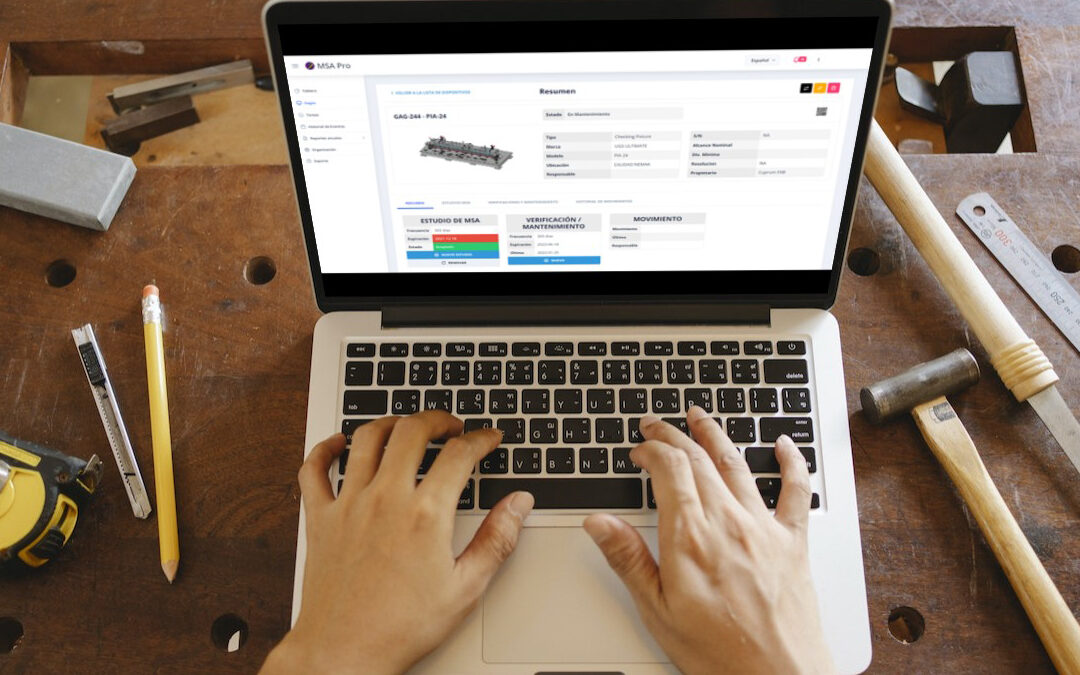
What Is Gage Management Software? Calibration, MSA & Compliance
What Is Gage Management Software? A Practical Guide for Calibration, Compliance, and MSAGage management softwareGage management software is a digital system used to control measuring instruments, calibration schedules, maintenance records, alerts, reports,...